About ZHelper
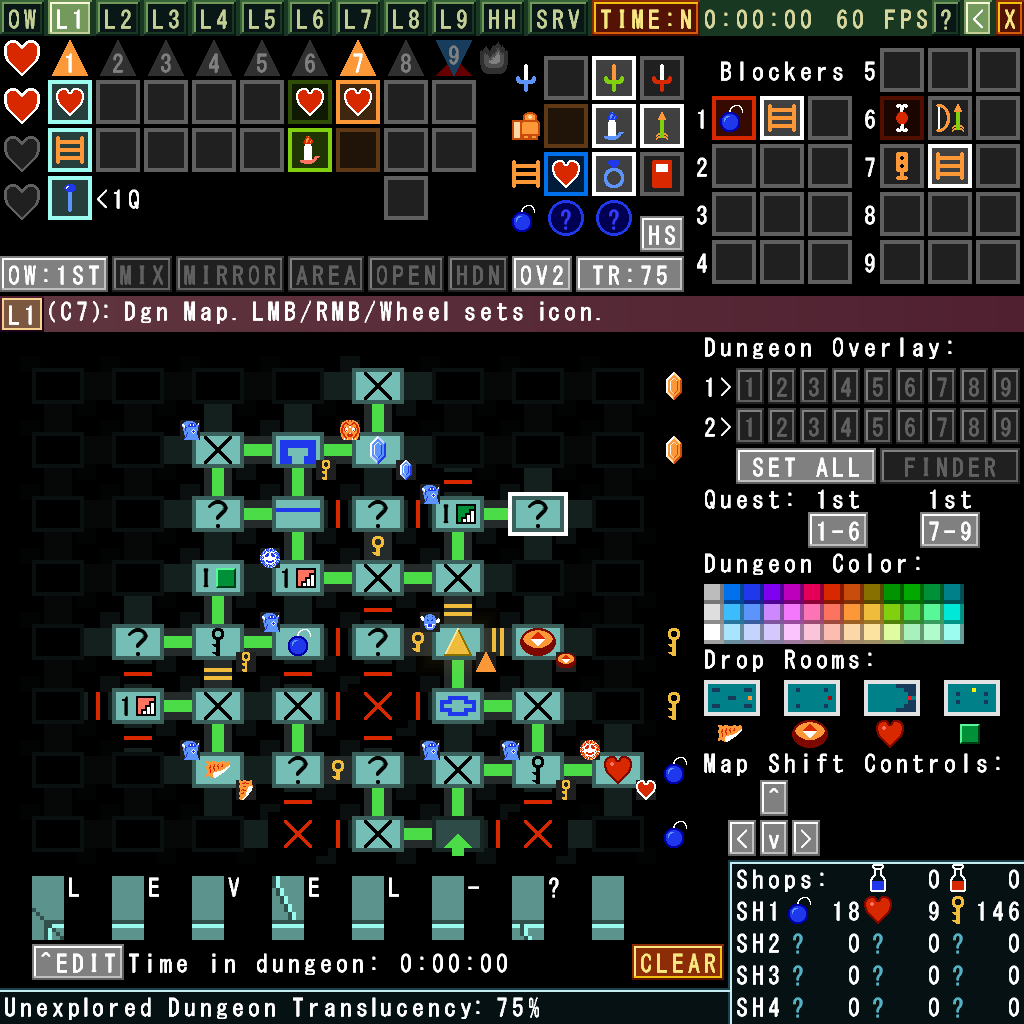
ZHelper is an open-source mapping program designed to be used with Fred Coughlin's Zelda Randomizer, as well as Tetra's ZORA randomizer addons. Version 5 is a complete rewrite with new features and vastly improved compatibility and performance. It is built using GameMaker. The source project files are included in the download, so feel free to mess with it, use it on your stream, or whatever as long as you're not doing something illegal with it.
Screenshots
Click on a screenshot to view a larger version. Several different built-in themes are featured here.
ZHelper 5 Features
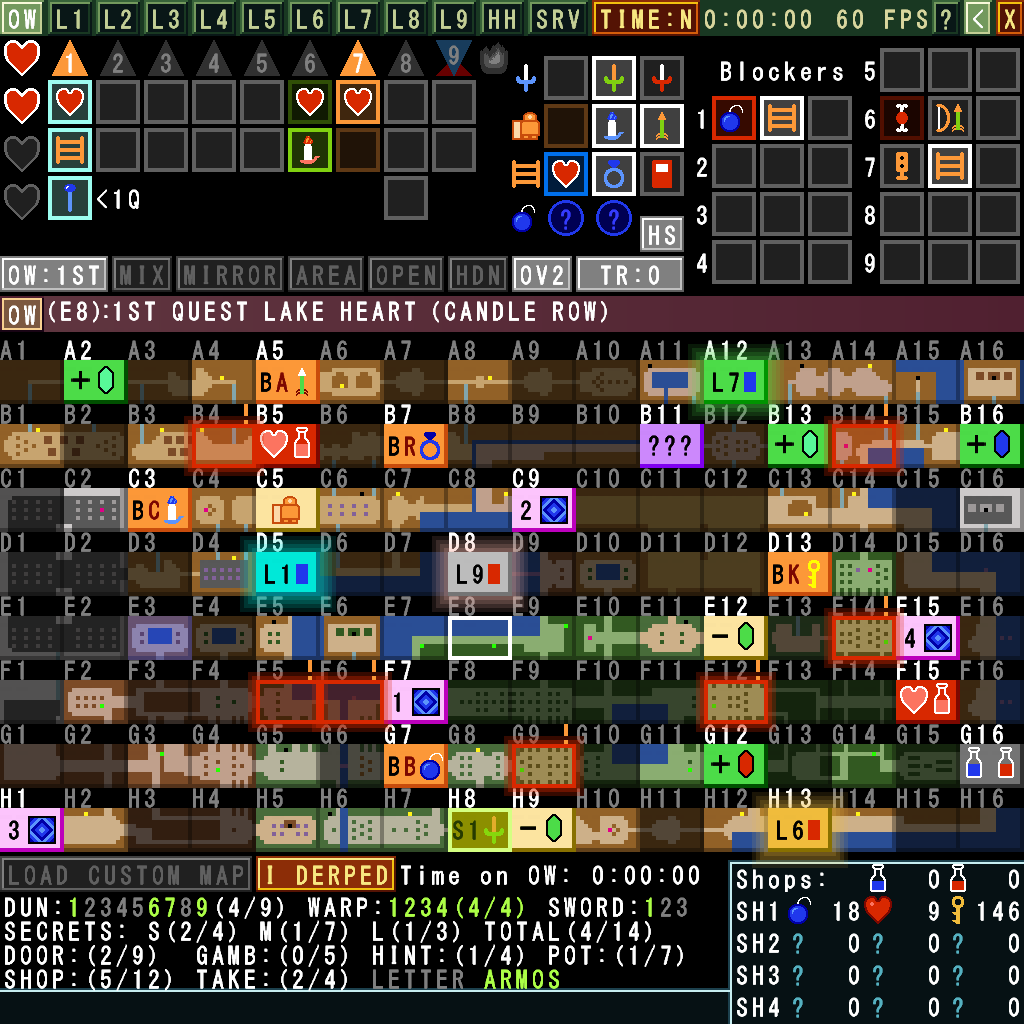
- A detailed, markable overworld map showing where default secrets are, with support for all randomizer modes and even custom map images!
- A dungeon map system designed to be able to mark even very complicated random dungeon layouts in detail
- Automatic narrowing-down of which dungeons a given dungeon map can be as you mark dungeon screens (only if race mode is OFF)
- Markers for things like triforce pieces, heart containers, dungeon blockers, shop items and prices and all dungeon/overworld items
- A screen to mark helpful hints given by the old man
- A built-in timer that keeps track of how long you spent on each level as well as the overworld, complete with an export function for showing the data live on stream
- Advanced hotkeys, including modifiers (shift, alt, ctrl)
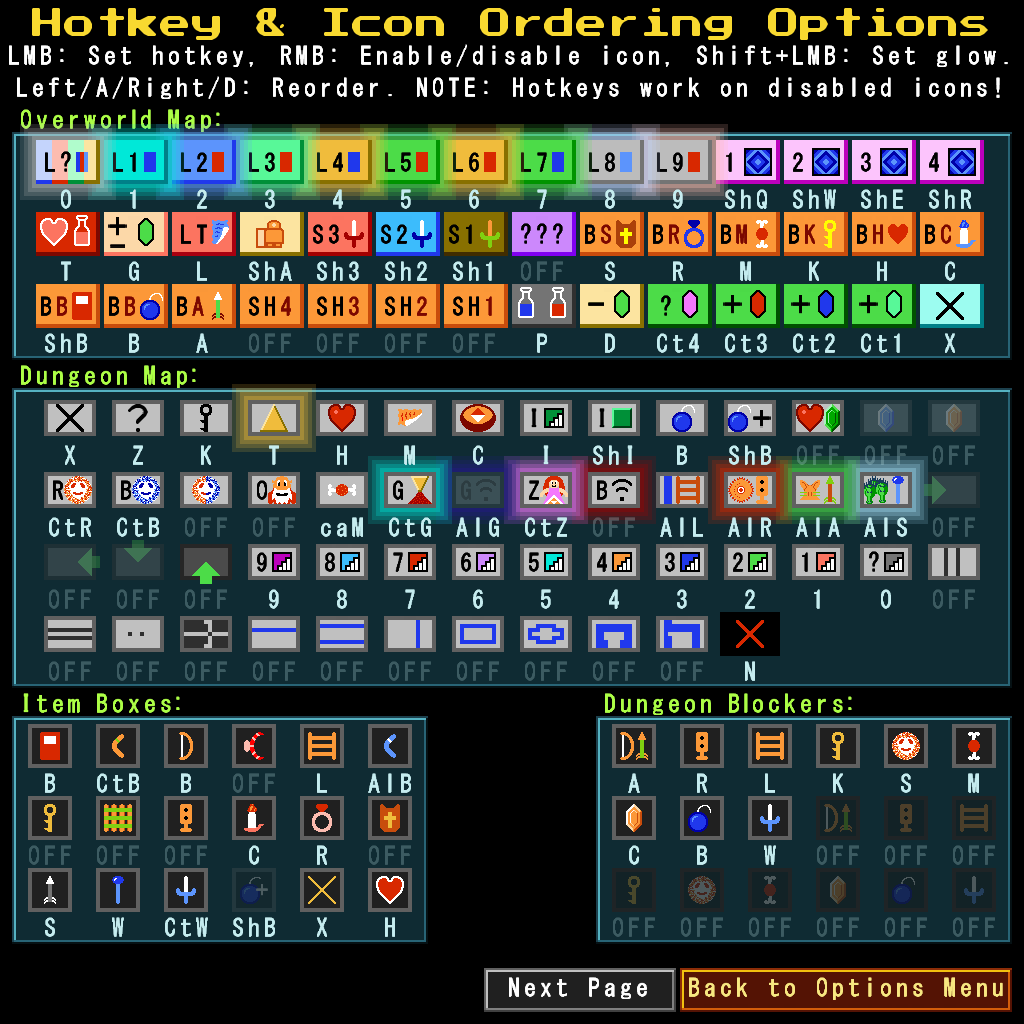
- The ability to reorder and toggle on/off most types of icons to suit your preferences
- Tracker preset support
- Redesigned UI with higher-resolution icons and custom theme support that is easy to customize using a simple config file. A bunch of themes in both dark and light mode UI are included by default
- Greatly improved performance and compatibility from moving to modern GameMaker. No more sluggish 45fps scrolling!
Some currently planned features (subject to change):
- (In progress) WebSocket-based networking support, no longer requiring two instances of ZHelper to be running
- (In progress) Touch-compatible UI for an eventual Android version
- Dashboard-style UI for showing almost all info at once on a full monitor
- Run Summary screen built into the tracker itself with data on level clear times, item acquisition, etc.
- Broadcast view for easily showing only the most relevant data on stream
- (In progress) Built-in theme editor
- (In progress) Zelda Classic / Zquest Classic support.
Supported Operating Systems
Being built in GameMaker, ZHelper should be able to run on just about anything GameMaker has support for, although proper touchscreen support is still not included. I currently make both Windows and Linux AppImage builds for each release. I don't have a Mac to build for Mac or iOS myself, but with the current free GameMaker license, you can open the included project and build it for Mac or any other supported OS without much trouble.
Important Update on New Releases of ZHelper
Sorry to get political here but this needs to be mentioned so users know what is going on:
I unfortunately cannot keep providing pre-built APK files for Android due to overly-broad "App Store Accountability" laws going into effect soon that would require me to implement an account system and invasive data collection both on this website and within ZHelper, which I have zero intention of doing now or at any time in the future. I don't need nor do I want to be forced to collect and process users' personal data for any purpose. This is despite the fact that ZHelper doesn't have anything that could even be remotely considered to be "harmful to minors."
If it does end up coming down to reading things like age signals, even from desktop OSes and browsers, to auto-enable restricted mode and such, I likely won't have a choice unfortunately. If this does end up happening, there will be a note here, in the changelogs on the release message on Discord and the privacy policy will also be updated. I will continue working on mobile OS support in the background and you will still be able to build an Android/IOS-compatible version of the program yourself as long as GameMaker continues to support doing it.
A built-in restricted mode to disable creating and joining servers, including basic password protection, exists as of version 5.00.15. Enable it by going to the Options menu and enabling the "Enable restricted mode" option under Parental Controls.
Web Version
If you'd like to test out ZHelper in your browser, there is an HTML5 version available here.
Note: The HTML5 version does have a few known issues, mostly with loading and saving tracker data! It is NOT up-to-date with the downloadable releases!
License
ZHelper is open-source and all assets and code are free to use for anything you'd like, including your own projects. Feel free to make your own modifications as long as you aren't doing anything illegal with it.
Download/Latest Changelog
You can download the current stable version of ZHelper 5 below:
v5.00.15-Windows - Linux - (03/06/26)
NOTE: This is the first build done entirely from Linux. If something goes wrong, please let me know!
WARNING! MAKE SURE YOU WRITE DOWN THE PASSWORD WHEN ENABLING RESTRICTED MODE! THERE IS NO 'FORGOT PASSWORD' MECHANISM!
- Incremented config version to 3.
- Fixed a couple minor HTML5 issues. Still not fully working.
- Fixed the server-side client list in Compact Dual Vertical UI.
- Added OS to the version info on the main menu.
- Fixed help text for networking controls in the Options menu.
- Added restricted mode, which disables the ability to create and join servers. Can be enabled in the Options menu. Disabling restricted mode requires the set password.
Beta Releases:
Feeling adventurous and want to help test the latest features? You can download the newest beta version of ZHelper 5 below:
Beta v5.00.16-Windows - Linux (03/29/26)
NOTE: This build is likely unstable, as it contains a lot of new icons and I very likely forgot to update some code somewhere. Use caution if you use it during races!
- Added a toggle option for minimal OW icons. WIP!
- Added compatibility mode options to support other randomizers.
- Added support for the ZORA randomizer. Many changes.
- Added several new dark mode themes.
- Added an option to draw basic UI boxes with rounded corners.
- Removed use of string_hash_to_newline() in update dialogs.
- The restricted mode password is now required to be entered twice to confirm before enabling it.
Known Issues:
- Running the Windows version through Proton on Linux is breaking window scaling for me during testing from within GameMaker. Changing to the zoom level you want, then restarting the program fixes it and applies the changes properly. The native Linux AppImages do not seem to have this issue.
It is highly recommended that you check out the manual/help page, even if you've used ZHelper before, as many things have been changed over time.
Still need version 4? (No longer updated!)
Here's the latest v4 release in case you need it for networking purposes. If you aren't using networking, I HIGHLY recommend using v5 as this build has multiple known major bugs and is no longer supported. v5 can import your v4 hotkey and option configuration so you don't have to set them back up again!
(NOTE: The GMS2 build was built in Gamemaker Studio 2 for better compatibility with newer versions of Windows. It might have bugs that aren't in the GMS 1.4 build!)
v4.45 (GMS 1.4 Build) (GMS2 Build) (01/06/20)
If you're looking for the tournament stream version, you can grab it here. It includes instructions in the readme. Its very stripped down compared to the normal ZHelper 4.
Help
Here are the manuals for v5 and v4. They should explain everything you need to know.
Privacy
You can view the Privacy Policy here (Last updated 09/12/25).
Credits
- Nintendo for making Zelda 1.
- Fred Coughlin for making the Zelda Randomizer.
- Tetra for making the ZORA Randomizer Addons.
- Thank you to everyone who has helped with their suggestions, testing, and feedback over the course of ZHelper's development! This thing wouldn't be in its current state without your help!